First Playbook
Objectif
Écrire et exécuter nos premiers playbooks ansible : passer des commandes ad-hoc à des fichiers YAML reproductibles et versionnables.
Durée
~15 minutes
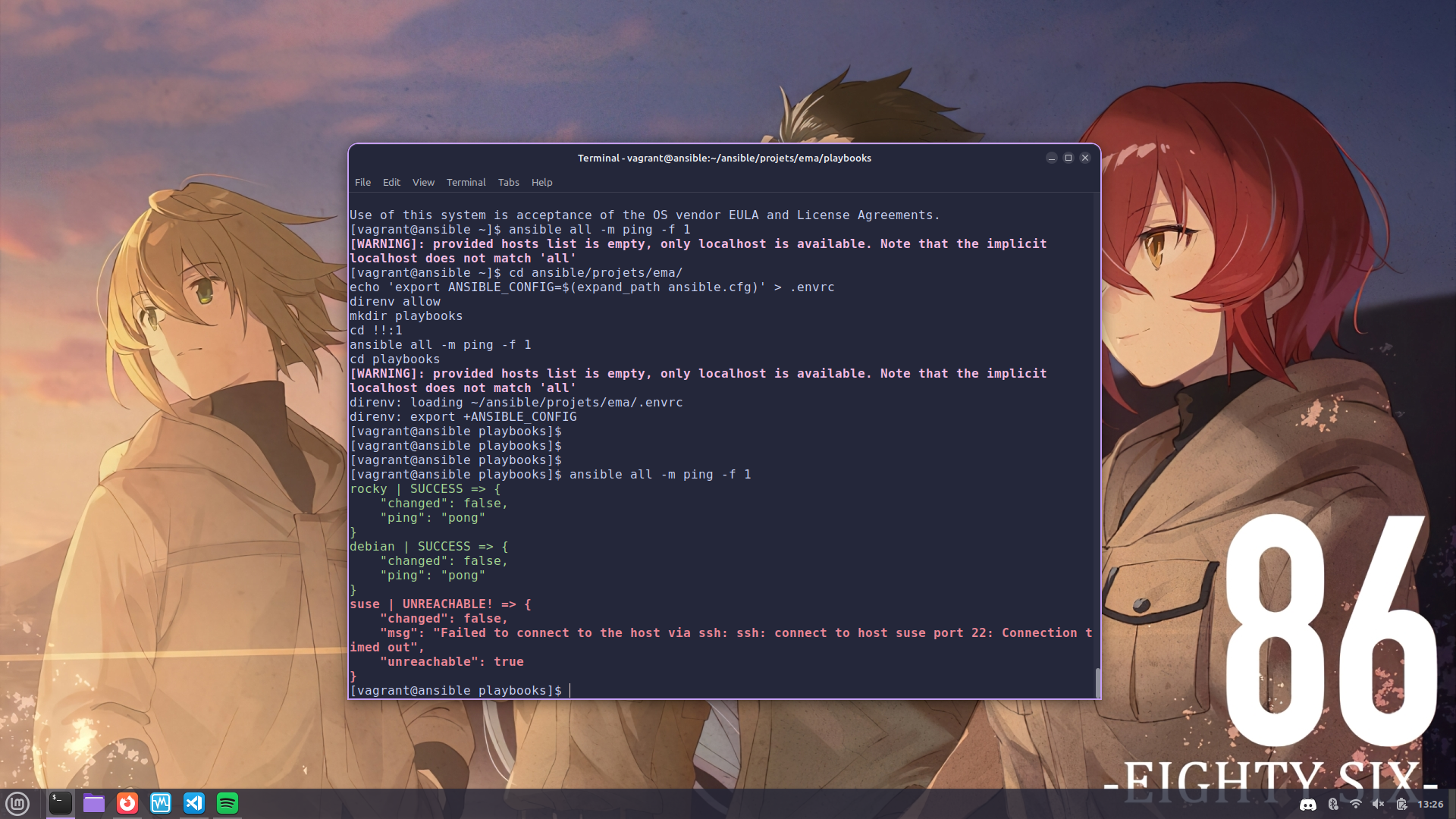
Les commandes pour intier l'atelier.
cd $HOME/git/gh/formation-ansible/atelier-08
vagrant up debian ansible rocky
vagrant ssh ansible

# sur le control host
cd ansible/projets/ema/
echo 'export ANSIBLE_CONFIG=$(expand_path ansible.cfg)' > .envrc
direnv allow
mkdir playbooks
cd !!:1
ansible all -m ping -f 1
Je retiens
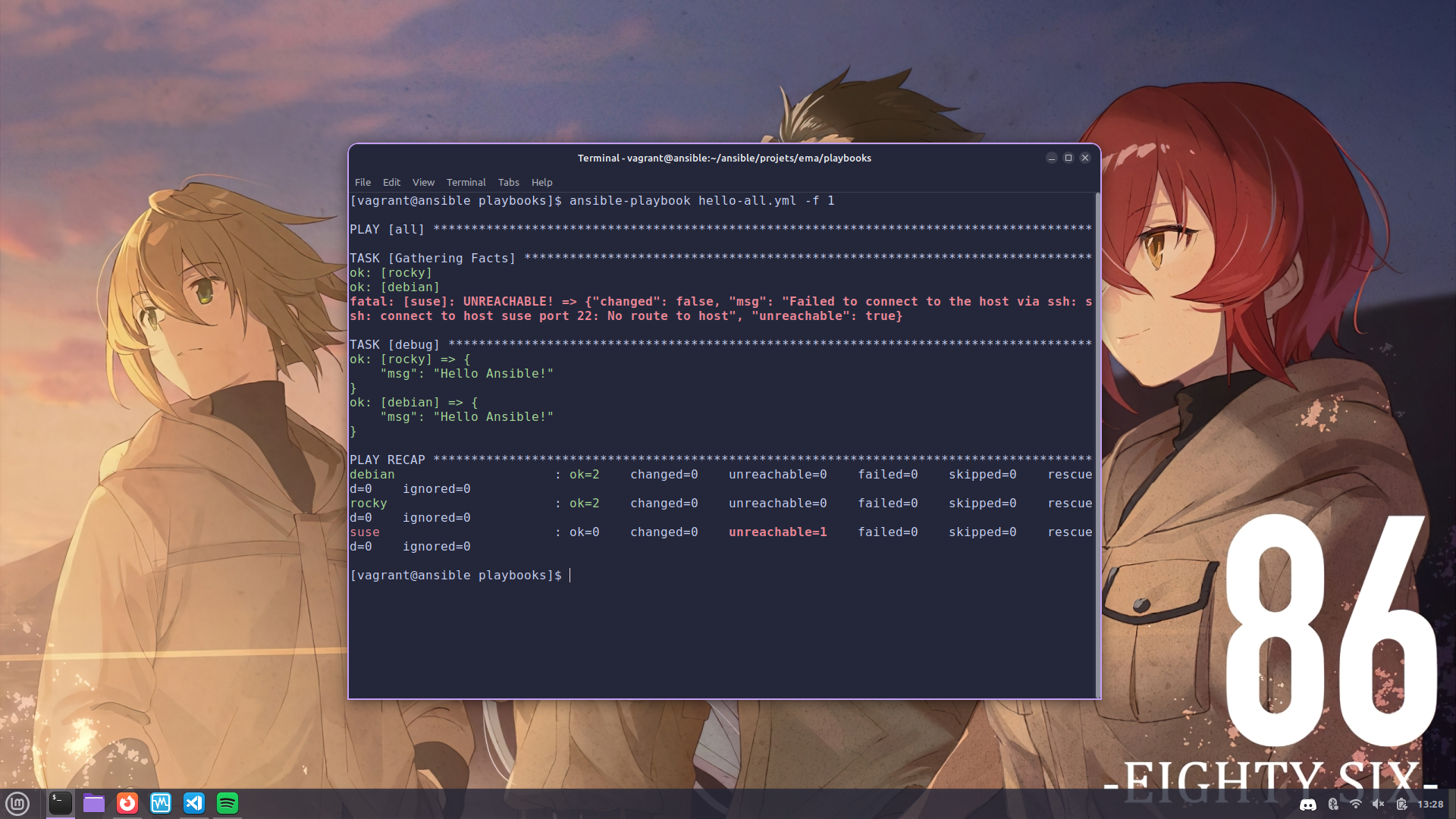
ansible-playbookexécute un fichier YAML contenant une ou plusieurs plays (listes de tâches).- L'option
-f 1force l'exécution séquentielle (1 hôte à la fois) au lieu du parallélisme par défaut (fork = 5). - Un playbook est plus maintenable et reproductible qu'une suite de commandes ad-hoc.
Cheatsheet
| Symptôme | Cause probable | Correction |
|---|---|---|
ERROR! Syntax Error while loading YAML |
Indentation mixte (tabs + espaces) ou : manquant |
Valider avec ansible-playbook --syntax-check hello-all.yml puis yamllint hello-all.yml |
ERROR! the playbook ... could not be found |
Mauvais répertoire ou -e @vars.yml confondu avec le playbook |
Vérifier pwd ; ansible-playbook attend un chemin de fichier en argument positionnel |
[WARNING]: Could not match supplied host pattern, ignoring: all |
hosts: all mais inventaire vide ou non chargé |
Vérifier ansible-inventory --list ; vérifier $ANSIBLE_CONFIG via direnv |
fatal: [host]: UNREACHABLE! ... Permission denied |
Clé SSH non propagée ou mauvais ansible_user |
Relancer ssh-copy-id (cf. Workshop 02) ; vérifier l'inventaire |
| Exécution parallèle rend les logs illisibles | Fork = 5 par défaut | Ajouter -f 1 pour sérialiser, ou -v / -vv pour plus de détails |
Sources (principales)
- Docs
ansibleIntro to playbooks - Docs
ansibleansible-playbookcommand - Docs
ansiblePlaybook keywords (hosts,tasks,vars,become…) - Docs
ansible--syntax-checket--list-tasks - Docs
ansibleForks (-f) et contrôle de parallélisme - yamllint Configuration
- ansible-lint Règles et usage
- YAML 1.2 Specification
Précédent : Idempotence Suite : Simple Web Server